
AI video creation, inside a real editor

CYNARA AI STUDIO

Edit, generate, storyboard, direct, and finish videos without jumping between disconnected tools.

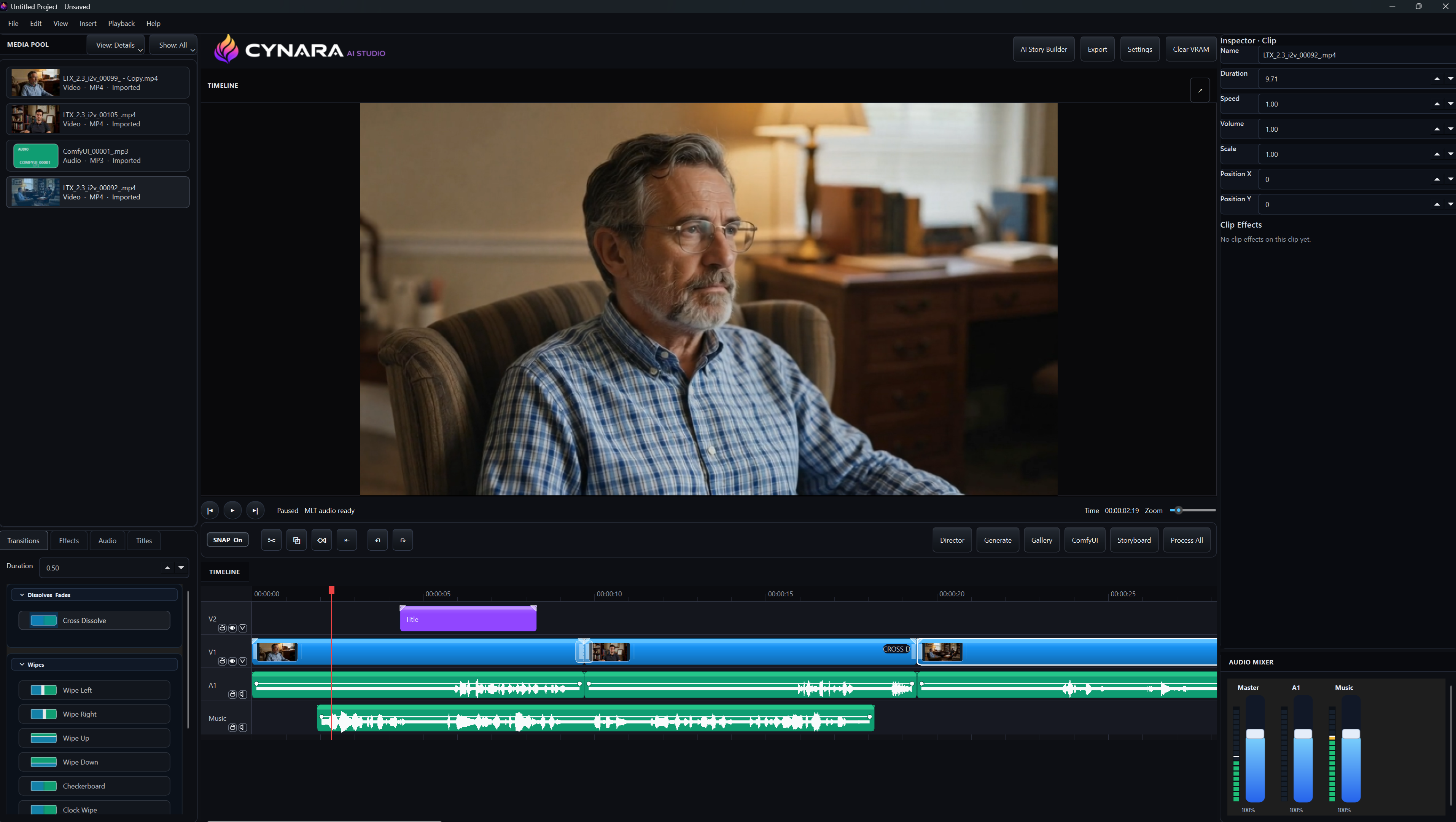
Cynara AI Studio timeline editor with media pool, preview, audio tracks, transitions, and inspector panels.
Timeline Clip editing, transitions, titles, audio, and mix controls.
LTX Director Frame-aware direction, timed prompts, reference clips, and timeline import.
ComfyUI Node workflows, model graphs, managed runs, and generated media in one workspace.

Built for creative control

Keep the edit and the AI in the same room.

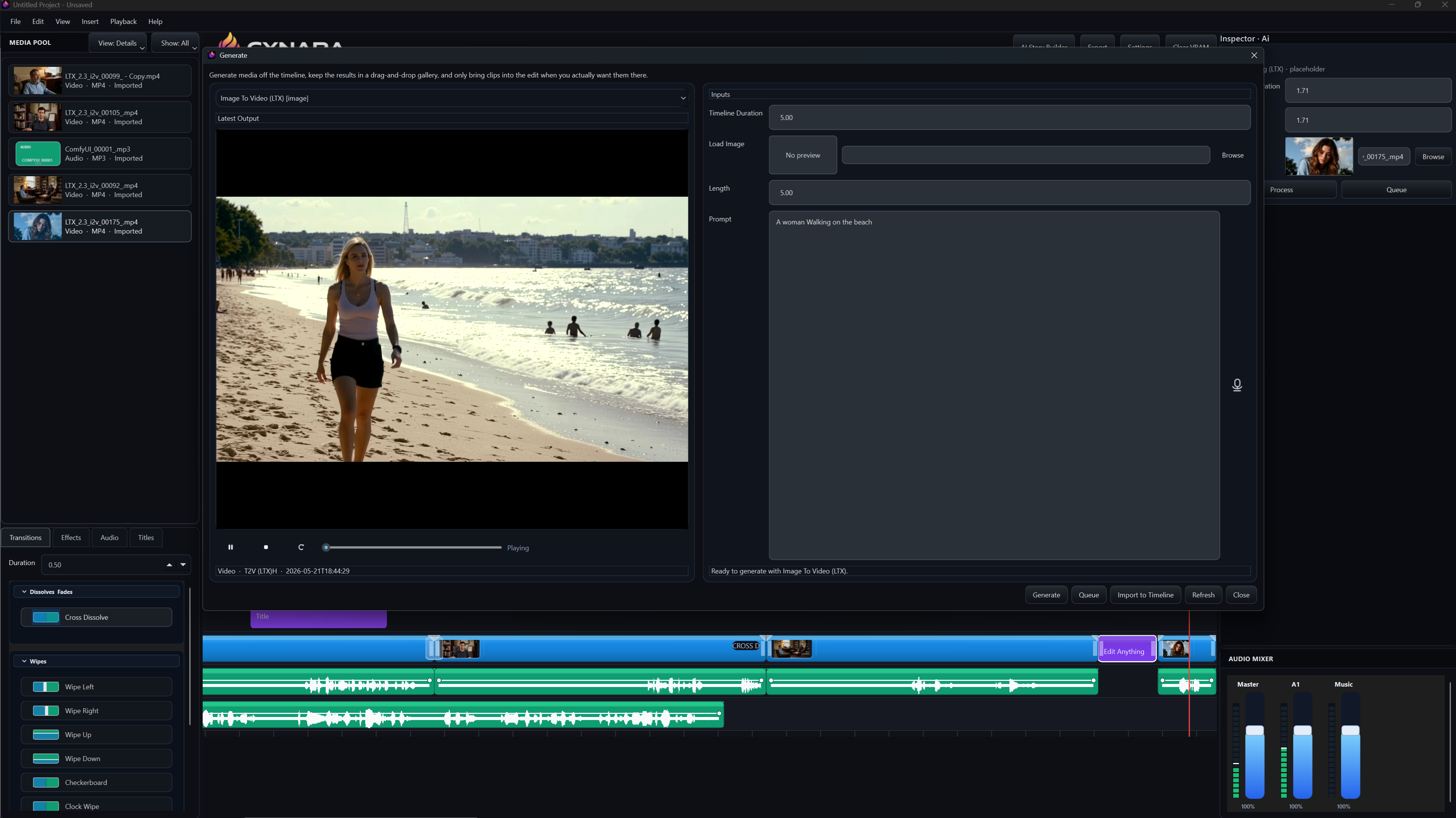
Cynara gives you a familiar non-linear editor layout, then adds AI generation where it belongs: beside the timeline, the media pool, and the preview.

Generate panel showing an image-to-video workflow with prompt controls and timeline integration.

Built-in AI stack

LTX Director support built in.

Cynara is not just a video editor with an AI button. It gives advanced generation tools their own focused surfaces while keeping every result connected to the project timeline.

LTX Director

Use LTX Director in its own window or directly on the timeline.

Open LTX Director by What Dreams May Cost as a focused production window, or guide a selected section right from the timeline with prompts, references, frame ranges, guide strength, and custom audio.

  • Prompt individual timeline segments in place
  • Work in a dedicated Director window when you need more room
  • Match seconds, FPS, and frame counts
  • Thanks to What Dreams May Cost for such an awesome tool. Show him some love.
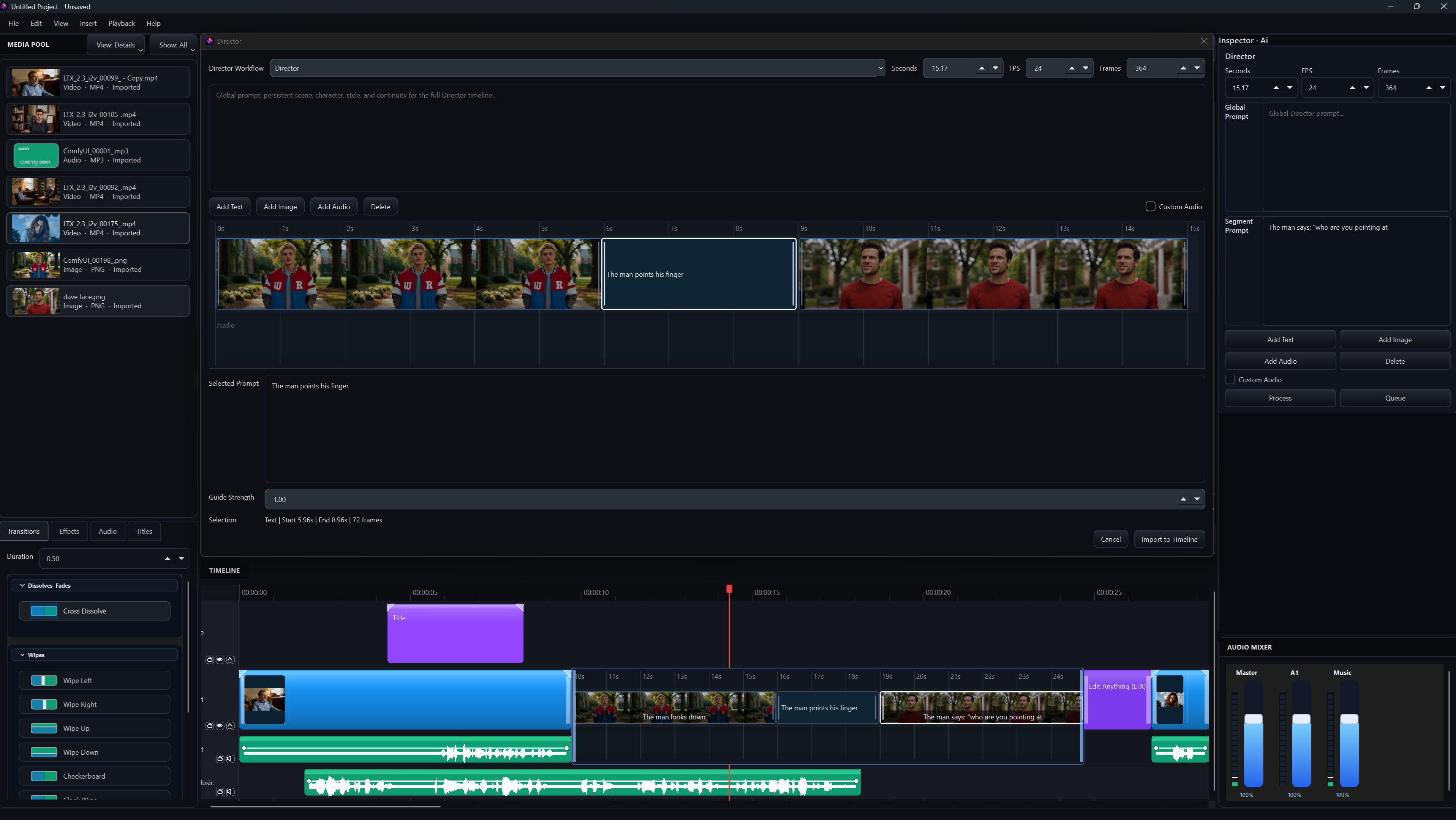
LTX Director panel built into Cynara with segment prompts and timeline import controls.

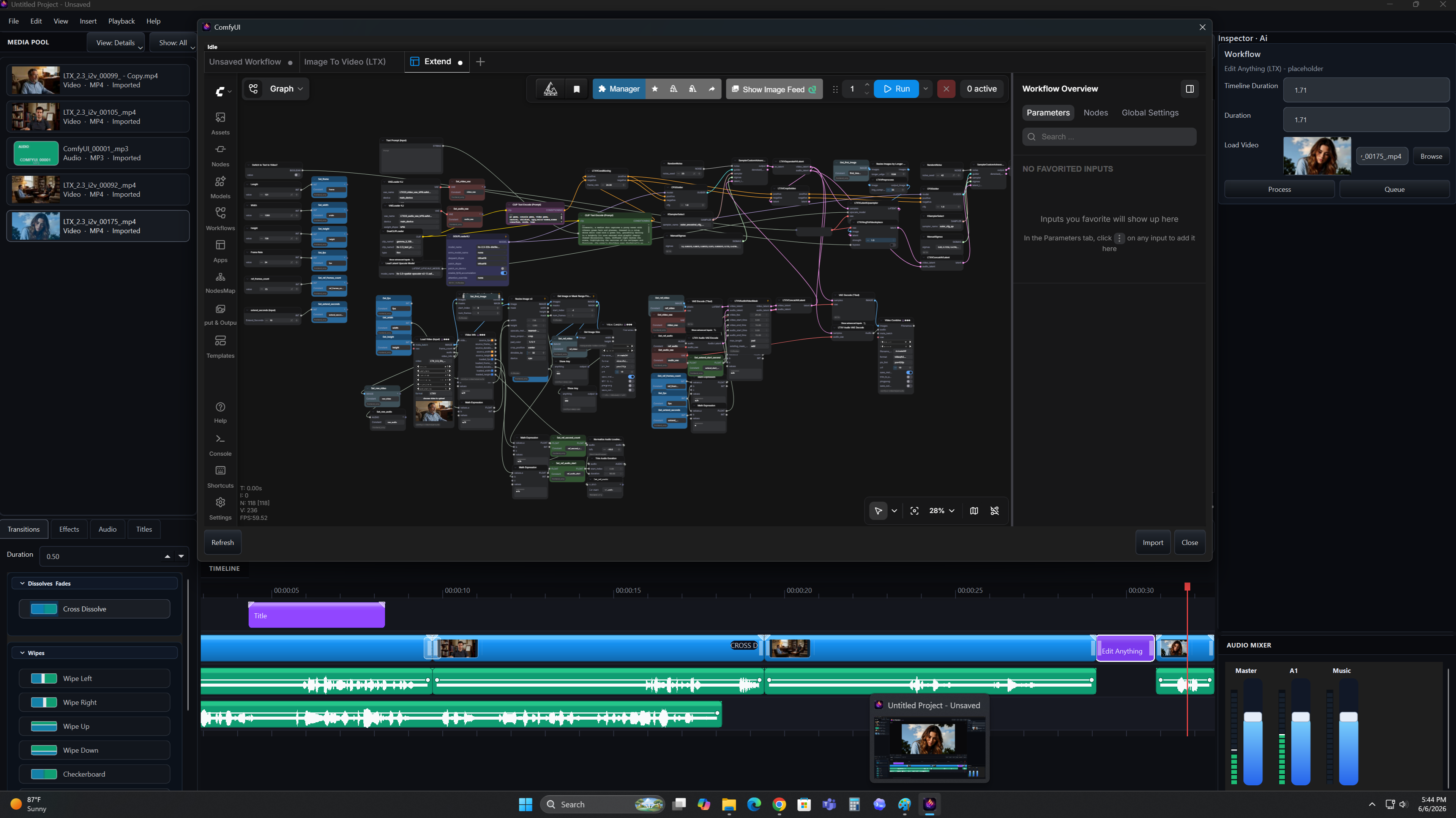
ComfyUI Integration

Open node workflows without leaving Cynara.

Run image-to-video, extend, and other ComfyUI workflows inside the same production environment where your clips, audio, inspector, and timeline already live.

  • If it is a workflow, it is a plugin
  • Generate and share your own workflow packs
  • Browse workflow graphs inside the app
  • Manage parameters, nodes, and generation runs
  • Bring outputs back into your project media
ComfyUI node graph embedded inside Cynara AI Studio.

From idea to cut

One workflow for planning, generating, and editing.

Write the story

Develop a scene, characters, environment notes, shot list, and narration before generating footage.

Build the board

Convert story beats into configured shots with characters, environments, prompts, camera style, and duration.

Direct the moment

Control timing with segment prompts, image/audio references, and frame-accurate director notes.

Finish the timeline

Bring generated clips back to the edit, mix audio, add titles, trim clips, and export the final cut.

Storyboard builder

Plan every generated shot before it hits the timeline.

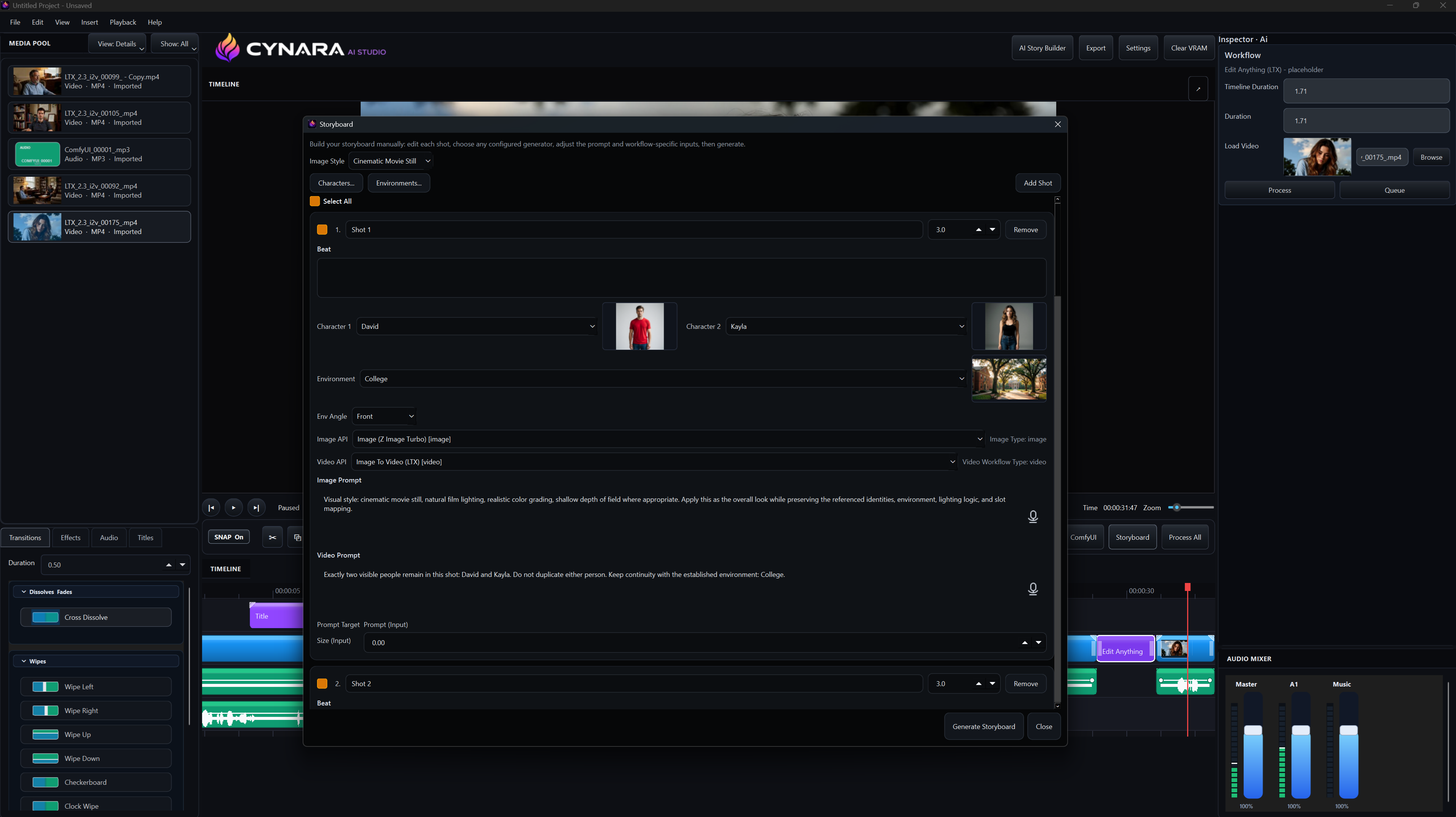
Use Cynara's storyboard to turn story beats into production-ready shots with named characters, environments, camera angles, image prompts, video prompts, duration, and the exact image/video workflows you want to run.

Character and environment references Image and video prompt control Shot duration and generator selection
Cynara storyboard builder showing shot planning with characters, environment, image prompt, video prompt, and generator selection.

Inside Cynara

Every AI panel stays connected to the project.

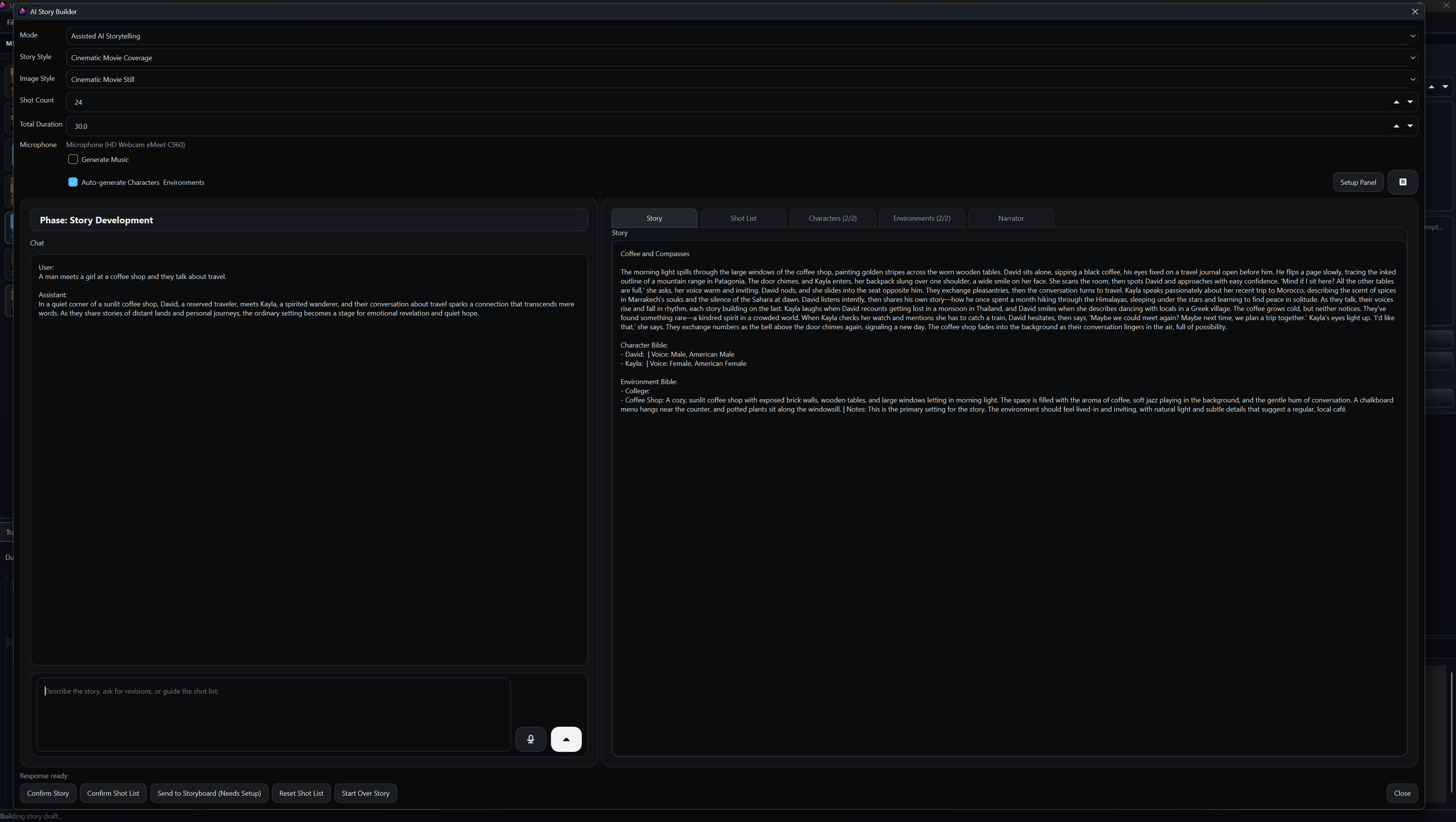
Use the AI Story Builder to develop a complete short film structure with story, shot list, characters, environments, and narrator planning.

AI Story Builder interface in Cynara AI Studio.
AI Story Builder

What makes it different

Desktop editing with AI production muscle.

Visual generation

Generate images, video, music, sound effects, and other media from prompts and references, then drop chosen outputs into the timeline.

Continuity planning

Keep characters, environments, and shot logic together so generated scenes feel like one connected project.

ComfyUI access

Use advanced node workflows from the editor while keeping project context, media, and results close at hand.

LTX Director control

Guide generated footage with timeline ranges, scene prompts, frame counts, and reference media before committing shots.

Audio-aware editing

Work with waveforms, music tracks, audio mixer controls, and generated media on the same timeline.

Cynara AI Studio

What will you dream up?

For creators, by creators, who want AI generation, story planning, and traditional timeline editing in one focused desktop workspace.